 EN
EN
 AR
AR
 CS
CS
 NL
NL
 FR
FR
 DE
DE
 EL
EL
 HI
HI
 IT
IT
 JA
JA
 KO
KO
 PL
PL
 PT
PT
 RO
RO
 RU
RU
 ES
ES
 SV
SV
 TL
TL
 IW
IW
 ID
ID
 UK
UK
 VI
VI
 SQ
SQ
 HU
HU
 TH
TH
 TR
TR
 FA
FA
 AF
AF
 MS
MS
 BN
BN
 HA
HA
 LA
LA
 MY
MY
 KK
KK
 SI
SI
 TG
TG
 UZ
UZ
 KY
KY
 XH
XH
SUNZEE MG330 PRO & MG330A Automatic Cotton Candy Machine | Complete User Manual
Welcome to the SUNZEE MG330 Series
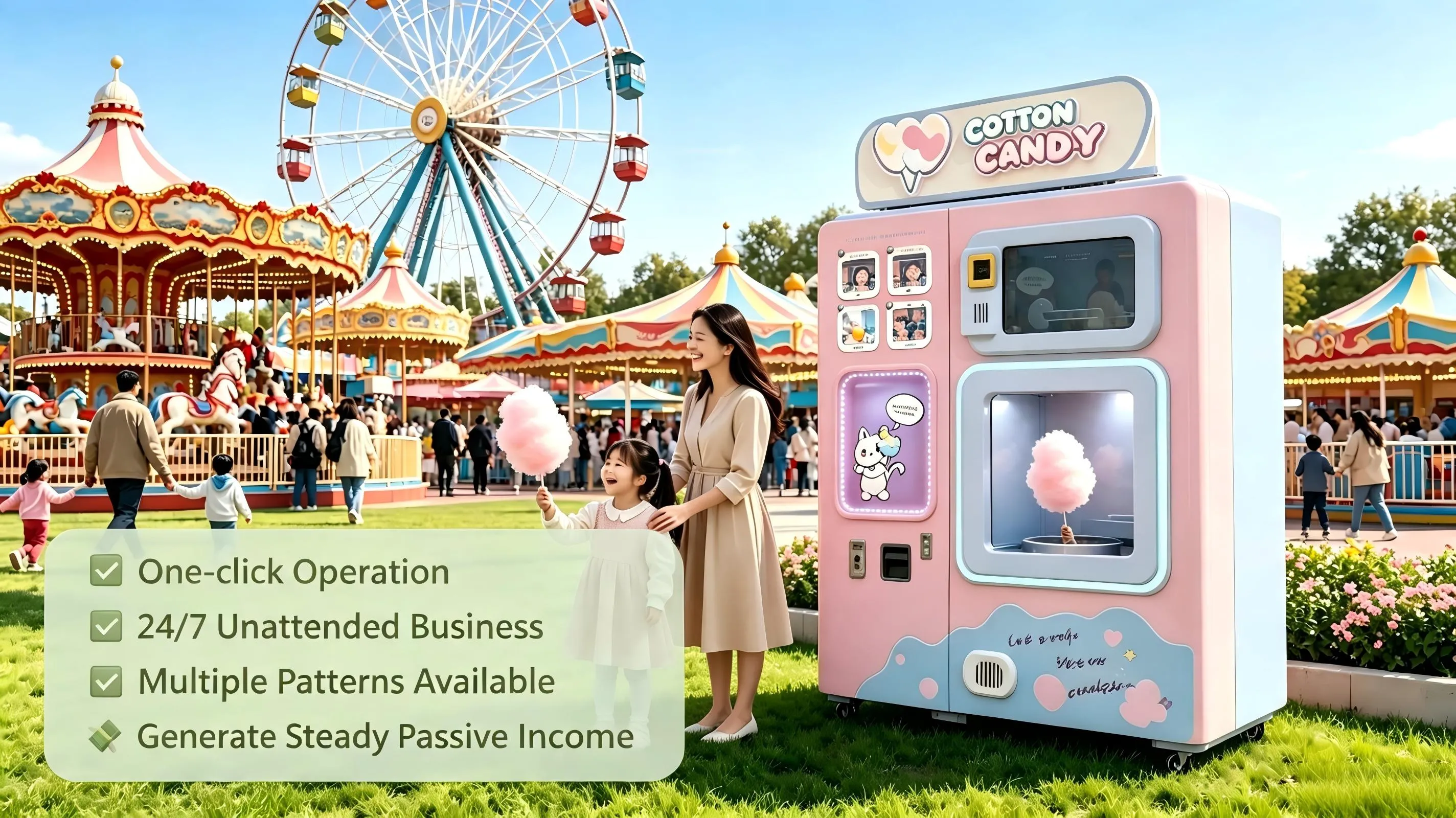
Since 2015, SUNZEE has been the global pioneer of fully automatic cotton candy vending machines. With an 11,000+ m² R&D and production facility and a team of over 130 professionals, the company holds more than 50 invention and utility patents and has earned international certifications including CQC, ISO9001, CB, CE, FDA, and RoHS. To date, SUNZEE machines have been deployed inover 10,000 locationsacrossmore than 80 countries, with service networks in over 70 cities in China alone.
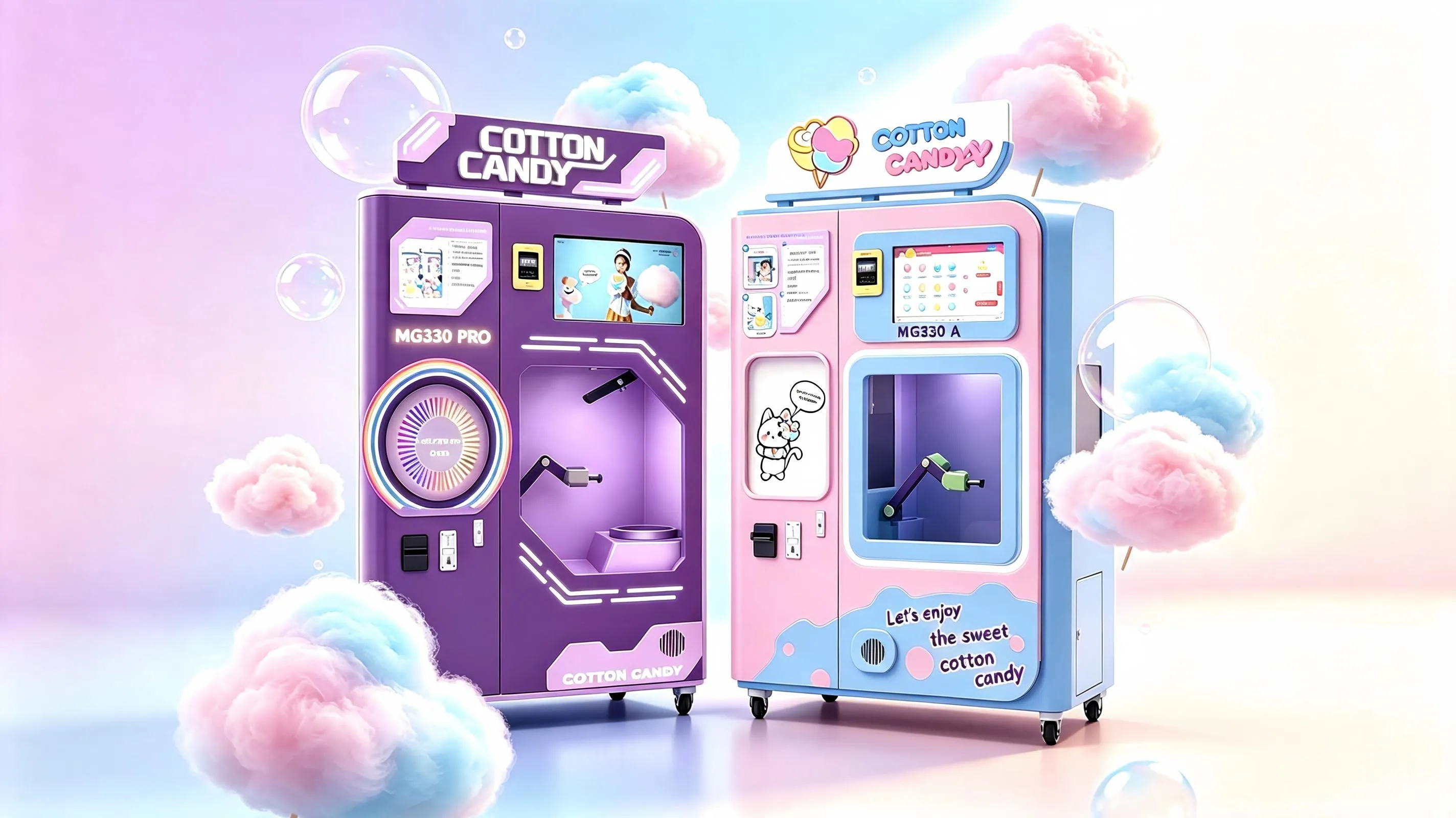
The MG330 series – comprising the MG330 PRO and MG330A models – represents the culmination of this expertise. Each machine features atransparent production windowthat turns cotton candy making into a shareable customer experience, along with Alpowered temperature control, integrated self cleaning components, and a 21 inch ultralarge multitouch Android ordering screen. Whether you operate a shopping mall, an amusement park, or a small kiosk, this guide will walk you through every step of using your MG330.
Video Tutorial Available – SUNZEE provides a complete 7step installation and operation video covering unboxing, leveling, water and sugar loading, 5minute preheating, cotton candy production, and shutdown. Scan the QR code on your machine or contact customer support for the link.
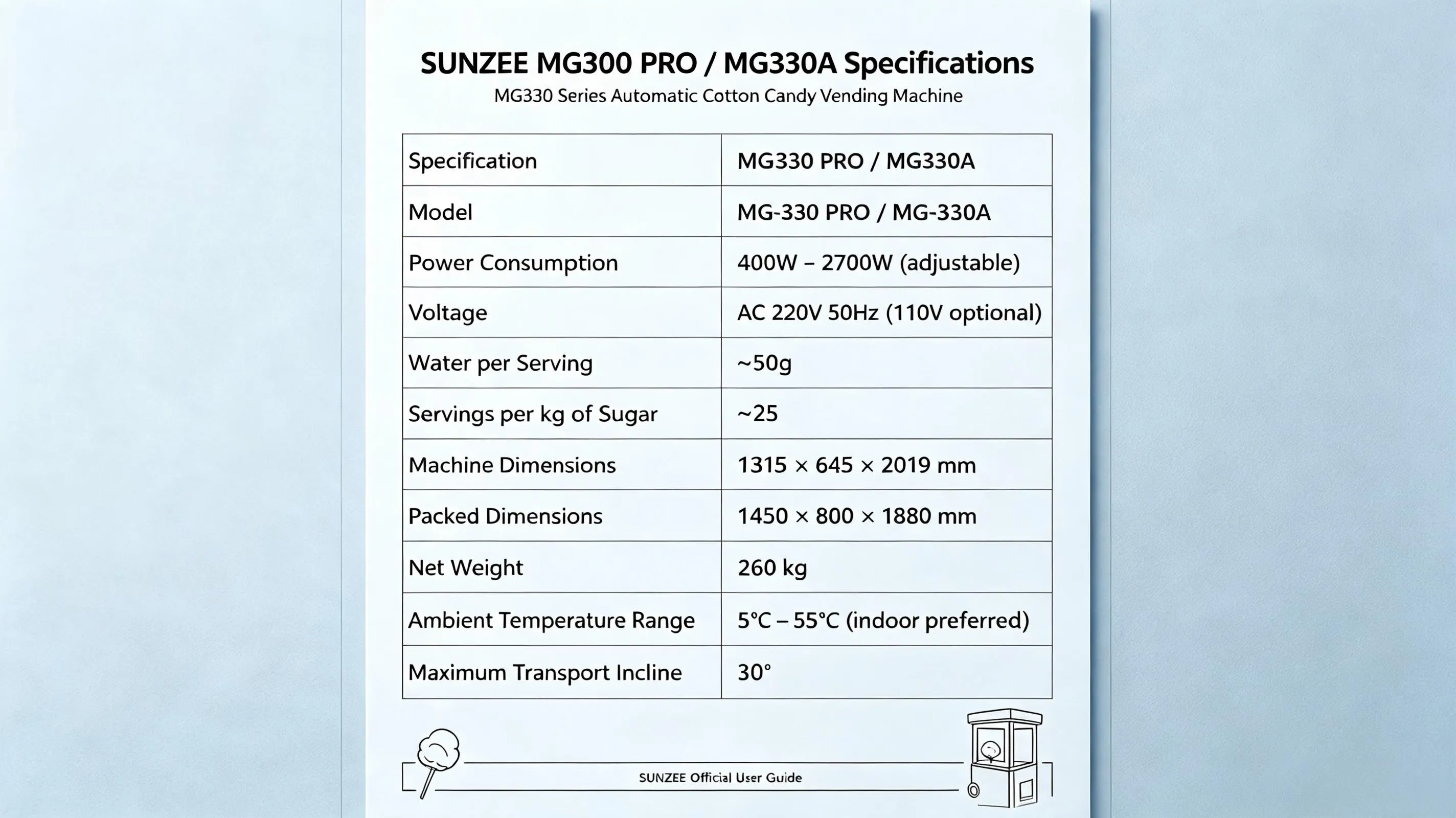
1. Product Specifications at a Glance
The MG330PRO and MG330A share the same technical foundation. Key specifications are listed below:
| Specification | MG330 PRO / MG330A |
| Model | MG-330 PRO / MG-330A |
| Power Consumption | 400W – 2700W (adjustable) |
| Voltage | AC 220V 50Hz |
| Water per Serving | ~50g |
| Sugar per kg | ~25 servings |
| Machine Dimensions | 1315 × 645 × 2019 mm |
| Packed Size | 1450 × 800 × 1880 mm |
| Net Weight | 260 kg |
| Ambient Temp. | 5°C – 55°C (indoor preferred) |
| Max Transport Incline | 30° |
Key Components (refer to the diagram): roller module, filter, profiling knife, finishing wire structure, burner head module, water basin, and waste water bucket.
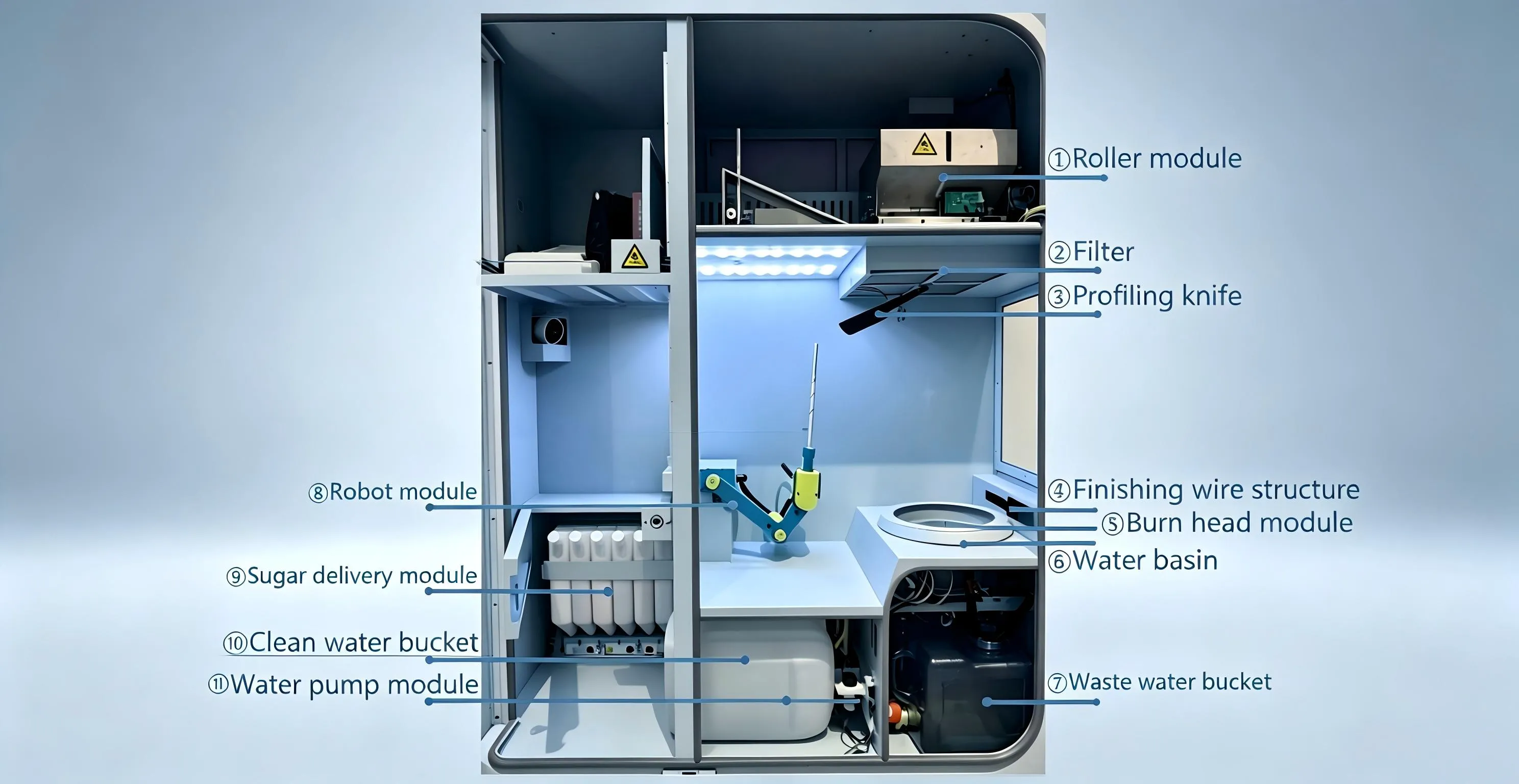
2025 Upgrades:
Refined exterior design with improved flowershape stability.
Upgraded light box with optimised internal structure for uniform brightness.
Humidifying furnace head with ultralow water consumption.
No purified water required – effectively prevents burner clogging.
Higher efficiency with reduced operating and maintenance costs.
2. Safety and Compliance Notes (Read Before Use)
Following these precautions ensures food safety, extends machine life, and protects your warranty.
Water quality – TDS must be ≤150. Higher mineral content causes scaling and equipment failures.
Sugar storage – Keep in a cool, dry place (humidity <70%, temperature 0–35°C). Use opened sugar promptly to prevent clumping.
Operating environment – Indoor use is recommended. For outdoor installation, provide shade and rain protection; ambient temperature must stay above 5°C.
Electrical safety – Use a 220V 2700W 10A rated extension cord (minimum 2.5mm² wire) and ensure proper grounding.
Maintenance access – Only trained personnel should open the cabinet. Always disconnect main power before cleaning or replacing parts.
3. Installation Guide
3.1 Screen Antenna Setup
Two antennas are supplied. Place them on the top of the chassis and route the cables through the designated holes.
Connect them to the WiFi and 4G ports on the screen. The GPS port is not used.
3.2 Top Light Box Installation
Align the light box with the screw holes on the top of the chassis and secure it with screws.
Route the power cable through the hole and plug it in. Check the label on the cable for correct voltage specifications.
For a detailed installation video, contact SUNZEE aftersales support to access the stepbystep tutorial covering unboxing, foot adjustment, water basin calibration, consumable loading, and startup.
4. Adding Consumables
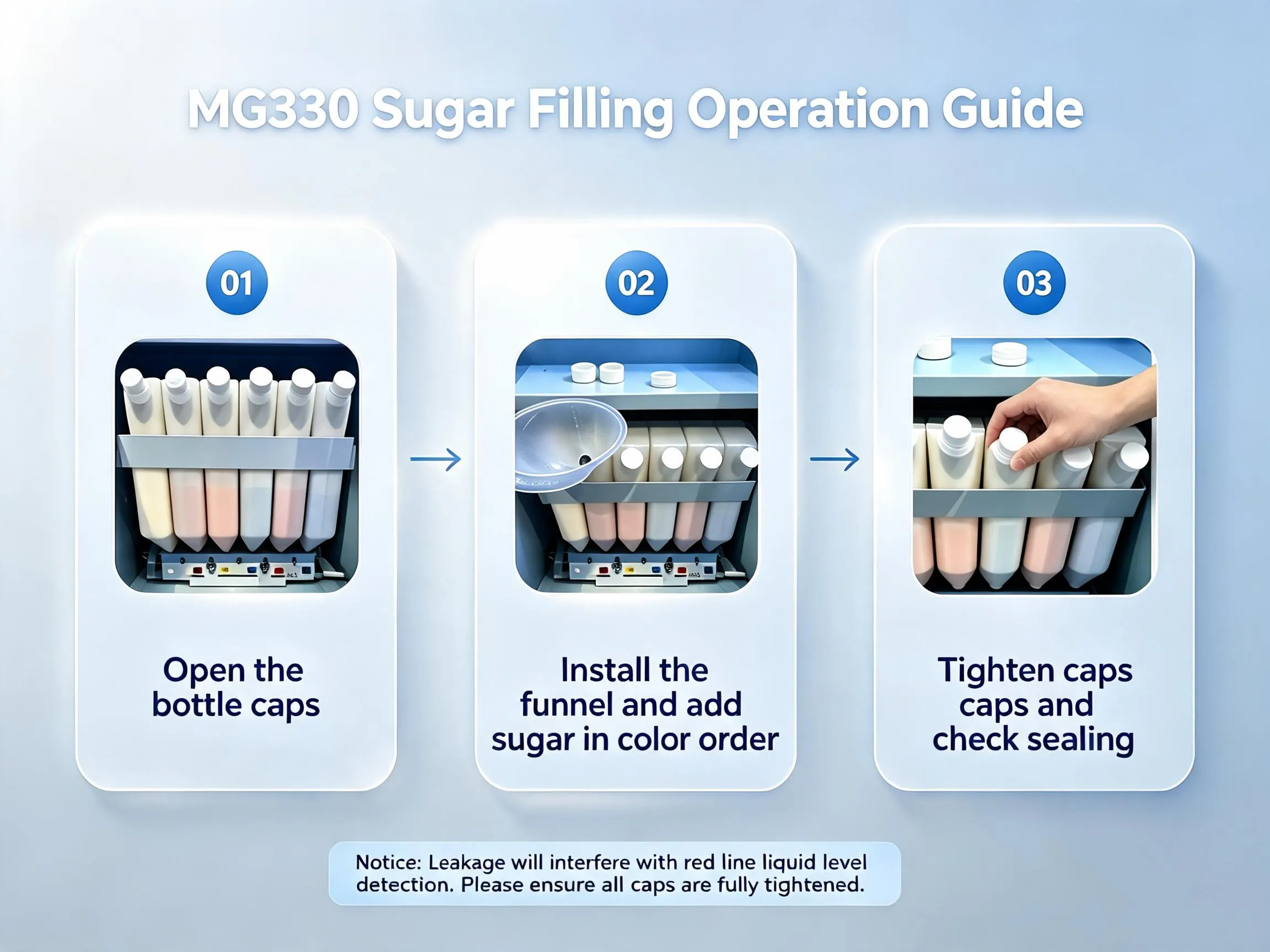
4.1 Adding Edible Sugar
Open the sugar box lid and attach the funnel.
Pour sugar in the correct colour order (left to right): white → red → yellow → blue.
After filling, tighten the lid firmly clockwise – otherwise, air leakage will affect sugar output.
4.2 Adding Water
Place the water pipe weight at the bottom of a 20L bucket.
Ensure the pipe remains straight and free of kinks for smooth water flow.
4.3 Adding Paper Sticks
The stick box can hold up to 200 sticks (4 bags) .
Check for deformed sticks before loading to avoid jams.
5. Operating Instructions
5.1 Power Status Check
The status bar at the top of the screen shows realtime device condition.
When powered off, the top lighting inside the cabinet is off – use this as a visual confirmation.
5.2 Account Binding (FirstTime Setup)
Tap the upperright corner of the home screen to enter the background login page.
Default password: contact the sales manage for details.
After login, click “Connect Server”, enter your device ID, and click “Apply”.
5.3 Power On / Off
In the background interface, click the power button (upper right corner).
Select Boot, Shutdown, or Restart.
During shutdown, the furnace head continues rotating for heat dissipation until the temperature drops below 60°C – this is normal.
5.4 Customer Purchase Process
On the main screen, tap a cotton candy option → it is added to the shopping cart.
Tap “Checkout” → select a payment method → complete the transaction.
5.5 Updating Service Information
Go to the background interface, select the lowerleft menu, and modify contact details.
Click “Update Save” to apply changes.
Contact the Sales Manager for the complete operation manual of MG330.
6. Troubleshooting – Common Alarms and Fixes
If you encounter an alarm, follow the steps below. If the issue persists, contact SUNZEE support with your device number.
6.1 Furnace Head Does Not Rotate
Immediate action – Turn off the main power directly. Do not use the software shutdown.
Possible causes – Head jammed, motor failure, or speed control board fault.
Check:
1.With power off, try turning the head manually (use a cloth if hot). If it doesn’t move freely, the head is seized and needs replacement.
2.Power on (without booting) → enter debug mode → test lowspeed rotation. Measure voltage on the speed control board with a multimeter. If voltage is abnormal, replace the board.
6.2 No Heating (Furnace Head Spins but Stays Cold)
Shut down, then restart and click “Heat up and start” .
Check the signal light on the solidstate relay in the cabinet. If off, measure the input voltage.
Record a 1minute video of the heating board and send it to the aftersales team for analysis.
6.3 Thermocouple OpenCircuit Alarm
Symptoms – display shows 0°C, 399°C, or normal temperature but still alarms.
Power off, reconnect the thermocouple plug under the furnace head, then power on and check.
If still abnormal, clean the carbon brush on the furnace head and retry.
If temperature is normal but the alarm persists, provide the device number for log review.
6.4 Temperature / Humidity Sensor Alarm
Case A – cabinet shows 6530°C and 0% humidity → sensor failure; replace the sensor.
Case B – values appear normal but alarm triggers → provide device number for remote diagnosis.
6.5 No Cotton Candy Produced (No Sugar Blown)
Check the air pump relay – if the pump is not running, replace it.
In debug mode, click “Air pump start” and verify airflow from the sugar delivery pipe.
If airflow is normal but no sugar comes out, clean the sugar delivery module.
Finally, inspect the water plate inside the furnace head cover for looseness.
6.6 Weak Signal (Cannot Make Purchases)
Go to the background login page (enter the password but do not click login).
Longpress the circular icon in the middle of the login page for 5 seconds until “modified successfully” appears.
Check the signal bars in the upper right corner and report to a technician.
6.7 Poor Cotton Candy Shape (Loose or Thick Strands)
Several factors affect flowershape quality. Follow this checklist:
Furnace head cleaning – Required every 300 servings. Caramel buildup blocks the teeth gaps and affects sugar output.
Temperature adjustment – If shape degrades before reaching 300 servings, increase the furnace temperature by 3–5°C (e.g., 2150 → 2180). Never raise more than 10°C at once. After cleaning, reset to the original value.
Cabinet humidity – Parameter #1005 (humidity value), #1008 (lower limit – humidification starts below this), #1009 (upper limit – stops above this). Keep a gap of 50 between limits.
Door seal – After closing, turn the door lock clockwise a few extra turns to ensure a tight seal. Gaps will cause loose shapes.
Filter and pressure knife – Clean daily. A clogged filter disrupts airflow; a dirty pressure knife roller can get stuck and bend the stick.
Cabinet temperature – Must be ≥16°C to start production. If lower, the machine automatically sprays water to raise the temperature.
Furnace head speed – If all the above are fine but shape issues remain, reduce the medium speed by 10–30 units. Lower speeds produce rougher strands.
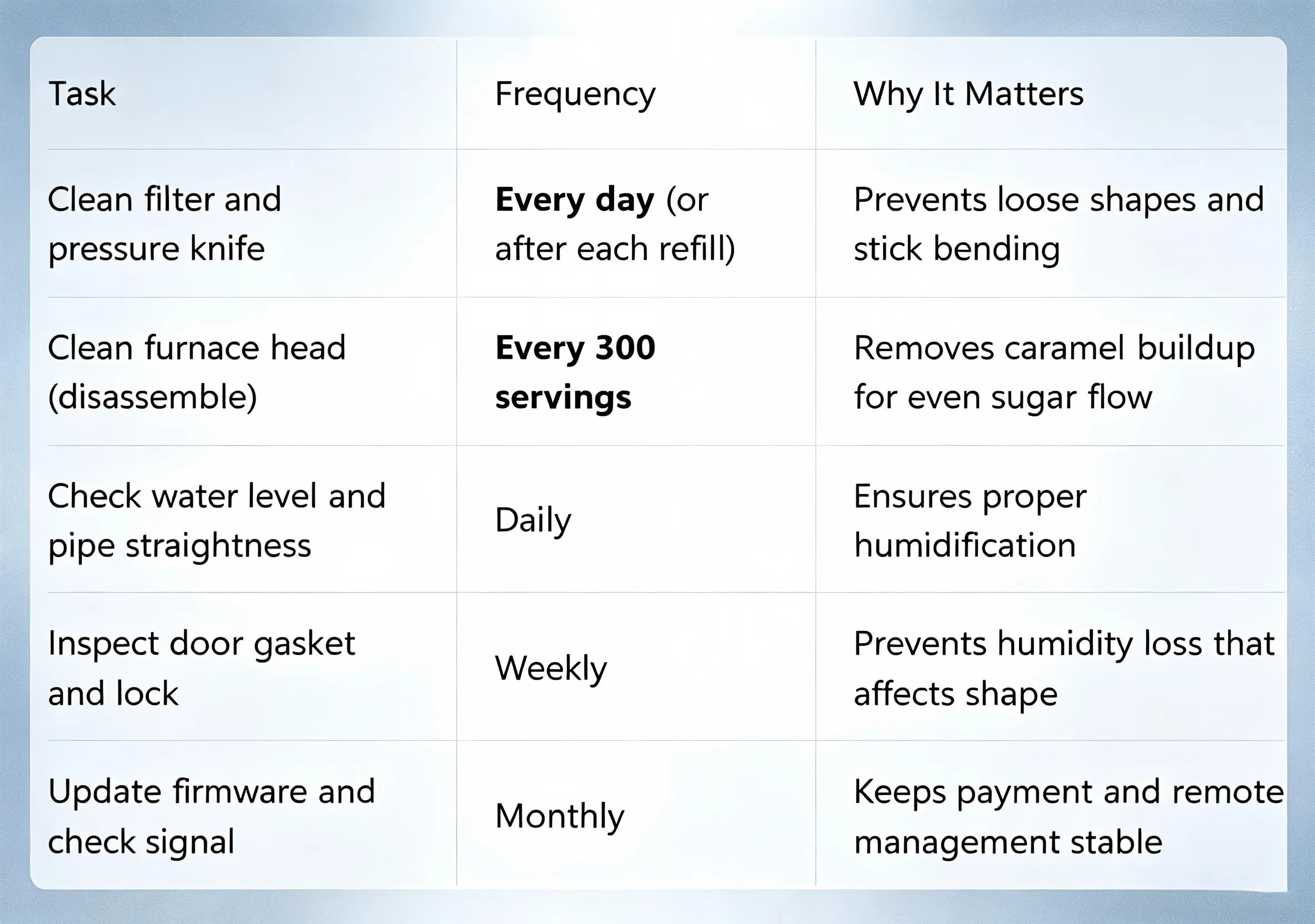
7.Daily Maintenance Checklist
|
Task
|
Frequency | Why It Matters |
| Clean filter and pressure knife | Every day (or after each refill) | Prevents loose shapes and stick bending |
| Clean furnace head (disassemble) | Every 300 servings | Removes caramel buildup for even sugar flow |
| Check water level and pipe straightness | Daily | Ensures proper humidification |
| Inspect door gasket and lock | Weekly | Prevents humidity loss that affects shape |
| Update firmware and check signal | Monthly | Keeps payment and remote management stable |
8. MG330 PRO vs MG330A – Which One Fits Your Business?
Both models share the same core performance, with differences mainly in appearance and noise insulation:
| Feature | MG330PRO | MG330A |
| Exterior finish | Matte, antifingerprint | Standard glossy |
| Sound insulation | Enhanced | Standard |
| Price | Slightly higher | More budgetfriendly |
| Recommended for | Premium malls, hotels, resorts | Supermarkets, food courts, kiosks |
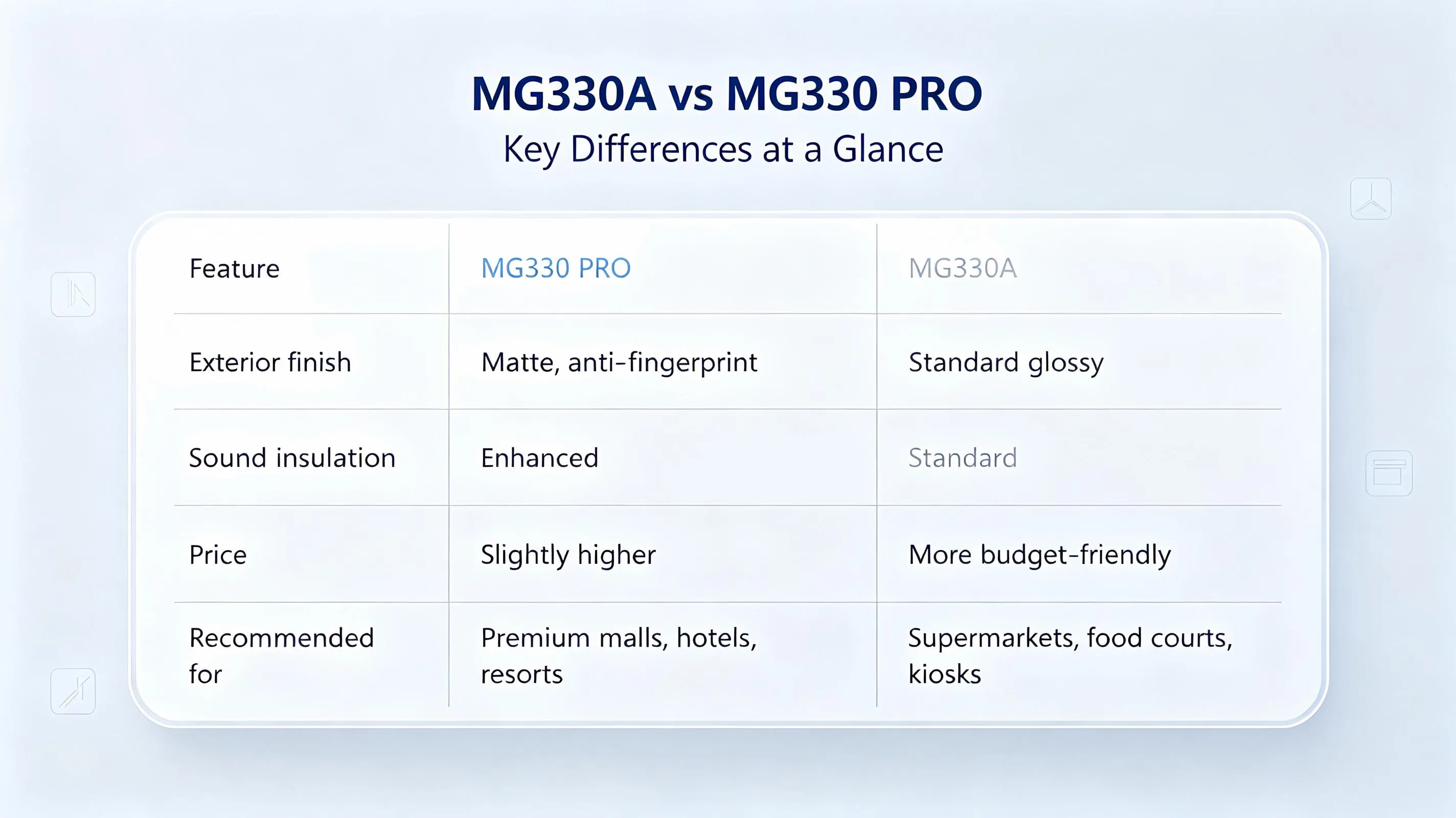
Both offer AI temperature control, selfcleaning, and 24/7 unattended operation.Contact the Sales Manager to get detailed differences between MG330PRO and MG330A.
9. Commercial Venue Operation Tips
Shopping Malls – Place in high traffic corridors. Offer combo deals with other vending machines (e.g., ice cream + cotton candy). The machine itself acts as a live attraction, increasing dwell time.
Amusement Parks – Outdoor units require a weatherproof canopy. Monitor temperature changes. Parks are one of the most successful deployment scenarios.
Supermarkets – Position near checkout areas to leverage impulse buying. Keep the transparent window clean for visual appeal.
Family Entertainment Centres – Run weekend promotions to boost sales.
Best practice – Prioritise children’s floors or rest areas in malls, where foot traffic is high and dwell time is longer, leading to higher conversion rates.
Profitability insight – With an average cost of ~$0.30 per serving and a retail price of $3–$5, a single MG330 can generate $200–$400 daily in peak locations. ROI is typically achieved within 4–6 months.
10. Global Customer Case Studies
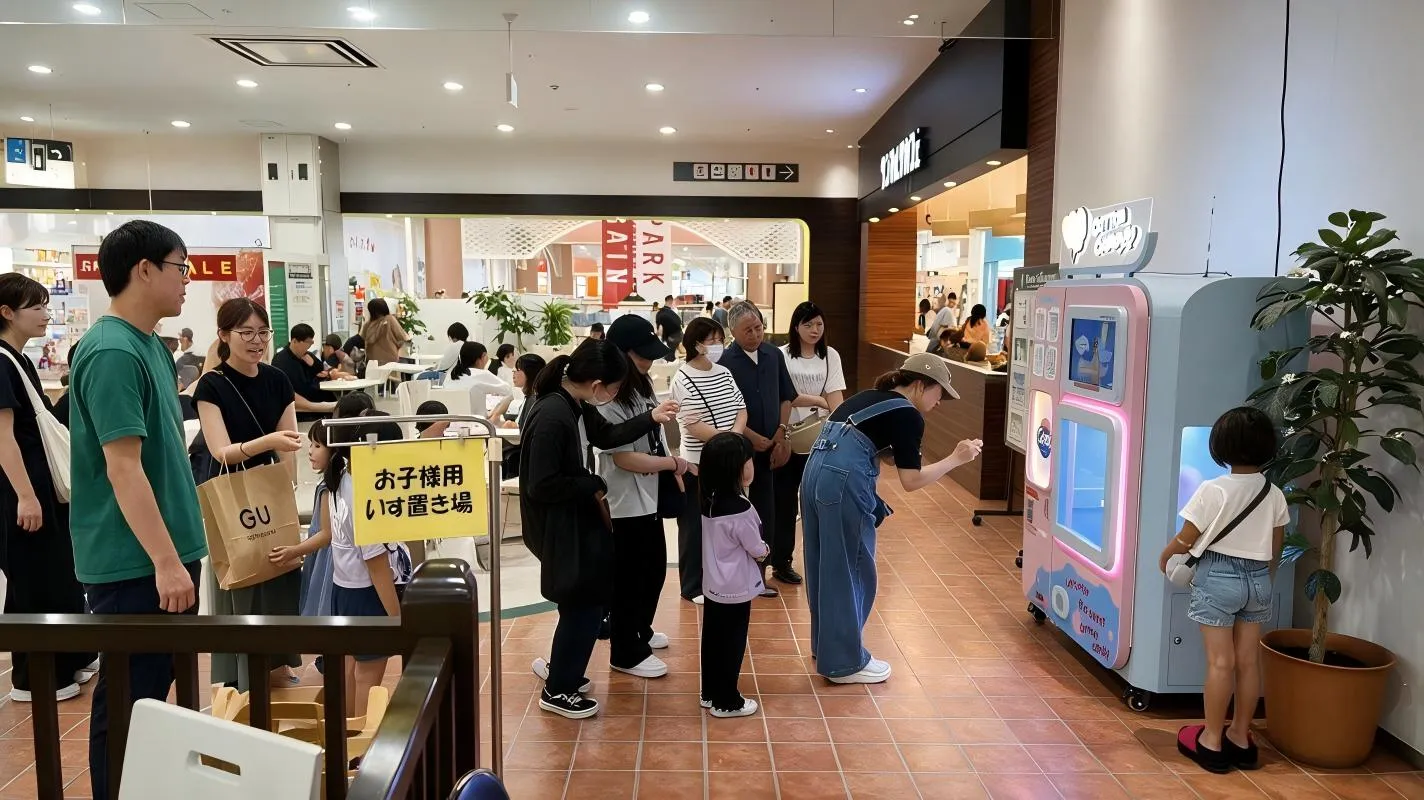
Case 1: Shopping Mall – Tokyo, Japan
Model: MG330 PRO
Deployed: December 2023
Case 2: Amusement Park – Guangzhou, China
Model: MG320 PRO
Deployed: July 2023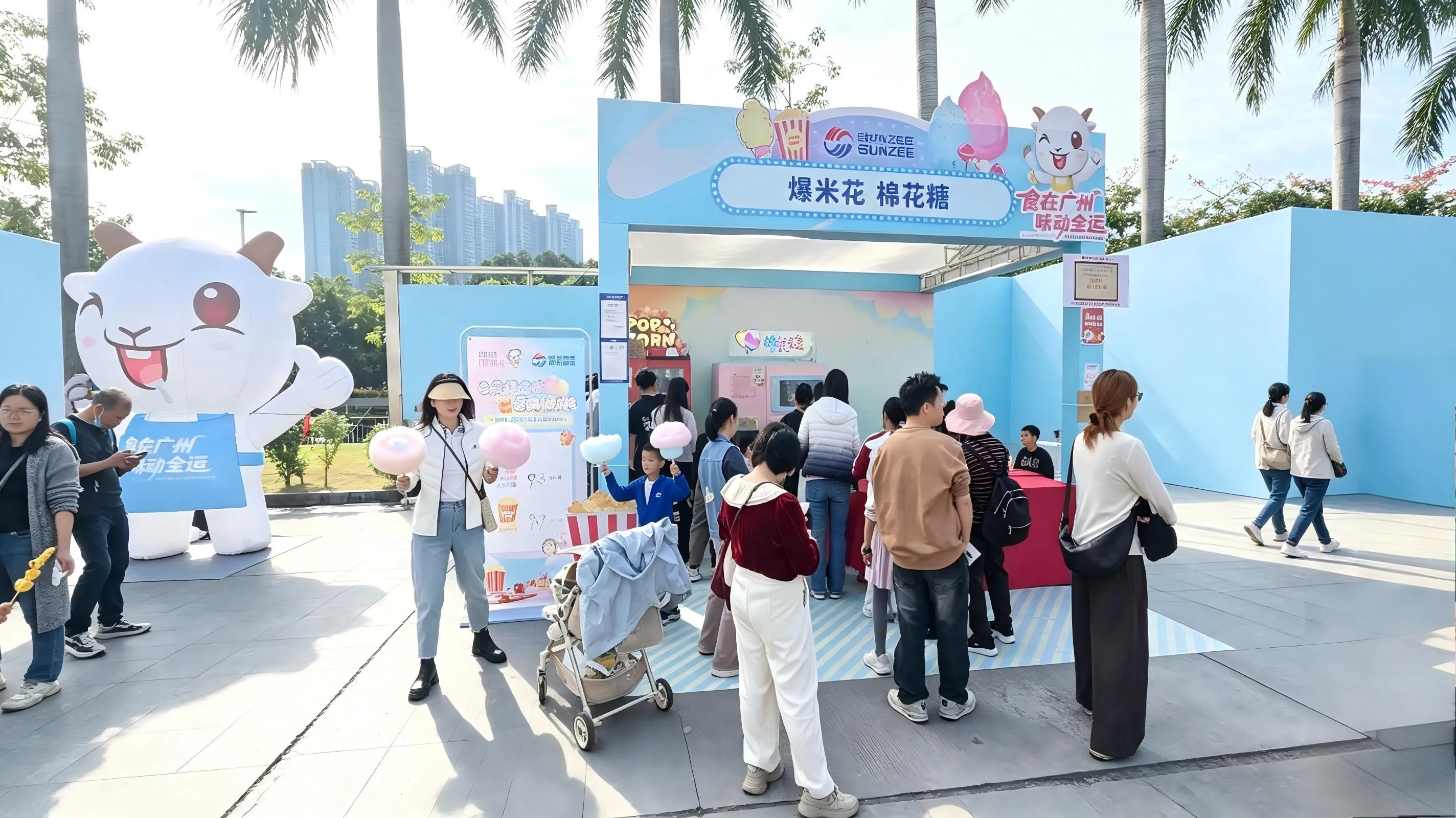
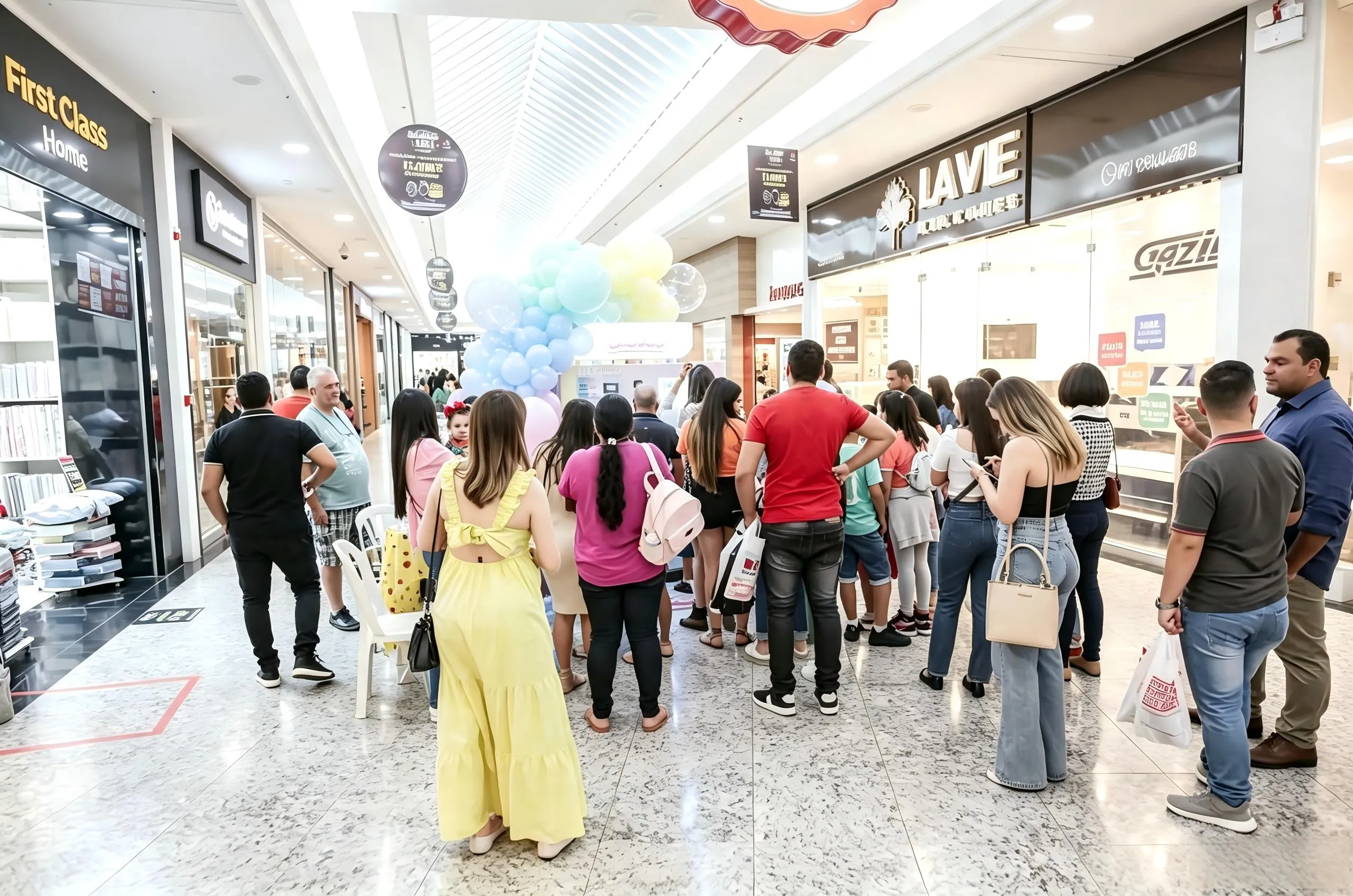
Case 3: European Market – LargeScale Deployment
SUNZEE has deployed over 1,000 cotton candy machines across Europe, building deep local operational expertise. Mall operators use these machines as effective foot traffic drivers, with strong impulse purchases among customers aged 12–35.
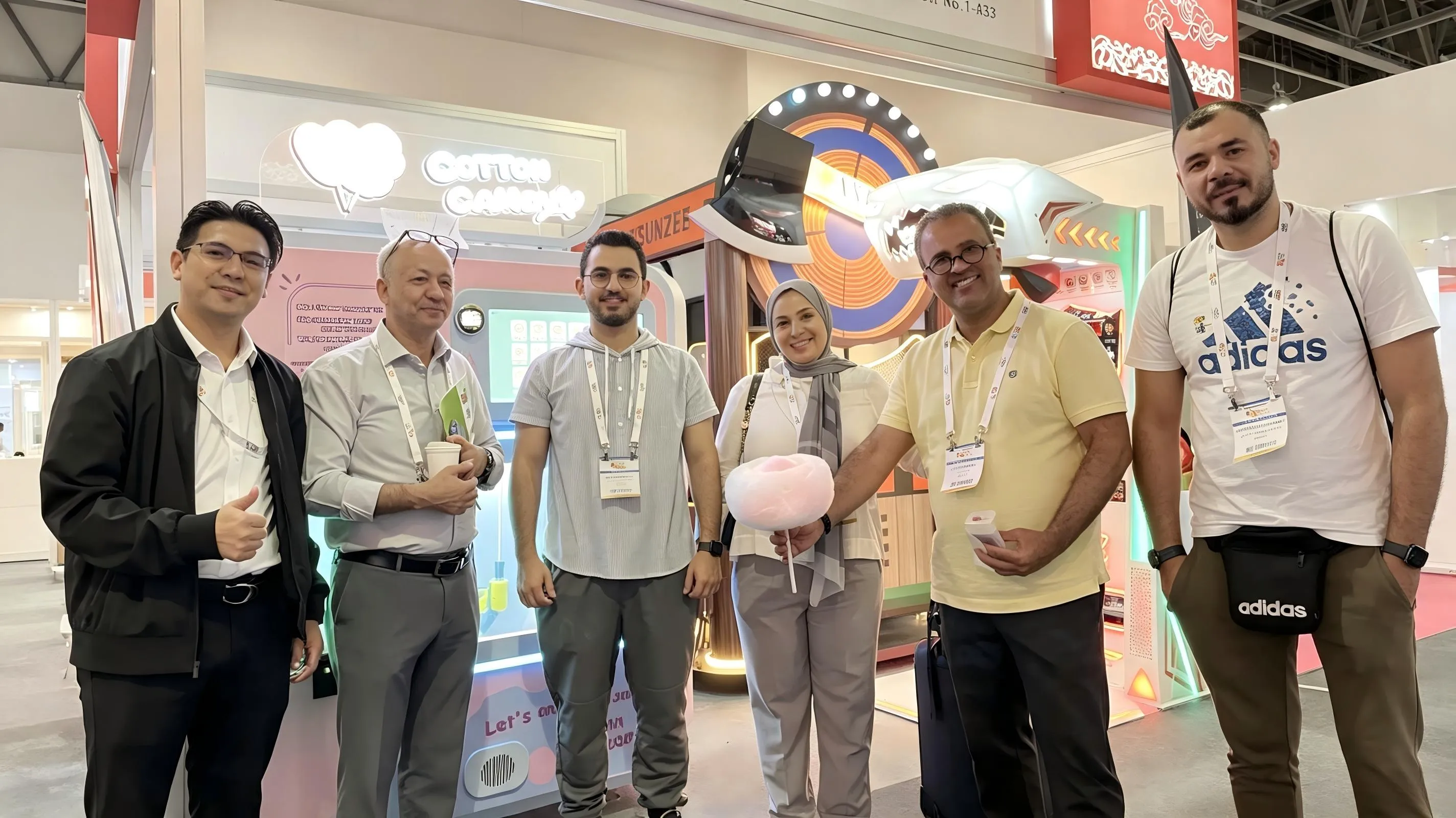
Case 4: Dubai – Exhibition & Trade Show Events
SUNZEE machines have been showcased at multiple professional exhibitions and trade expos across Dubai. Clients report that the machines attract strong visitor interest during the show period.
Have your own success story? Contact us to be featured in our global case study library.
11. Warranty and AfterSales Support
Full machine – 18 months
Burner head – 12 months
Android system and motherboard – 24 months
All machines are certified to CE, FDA, NAMA, and RoHS standards, meeting international food safety requirements. The cloudbased management platform enables realtime sales, inventory, and error monitoring, reducing onsite maintenance costs.
SUNZEE also provides:
Video technical support and online assistance
Full certification documents for venue approval
Site selection advice and negotiation tips
“Companion” service for firsttime operators
For technical support, please provide your device number and a brief issue description. Our global service team responds within 24 hours.
12.Frequently Asked Questions (FAQ)
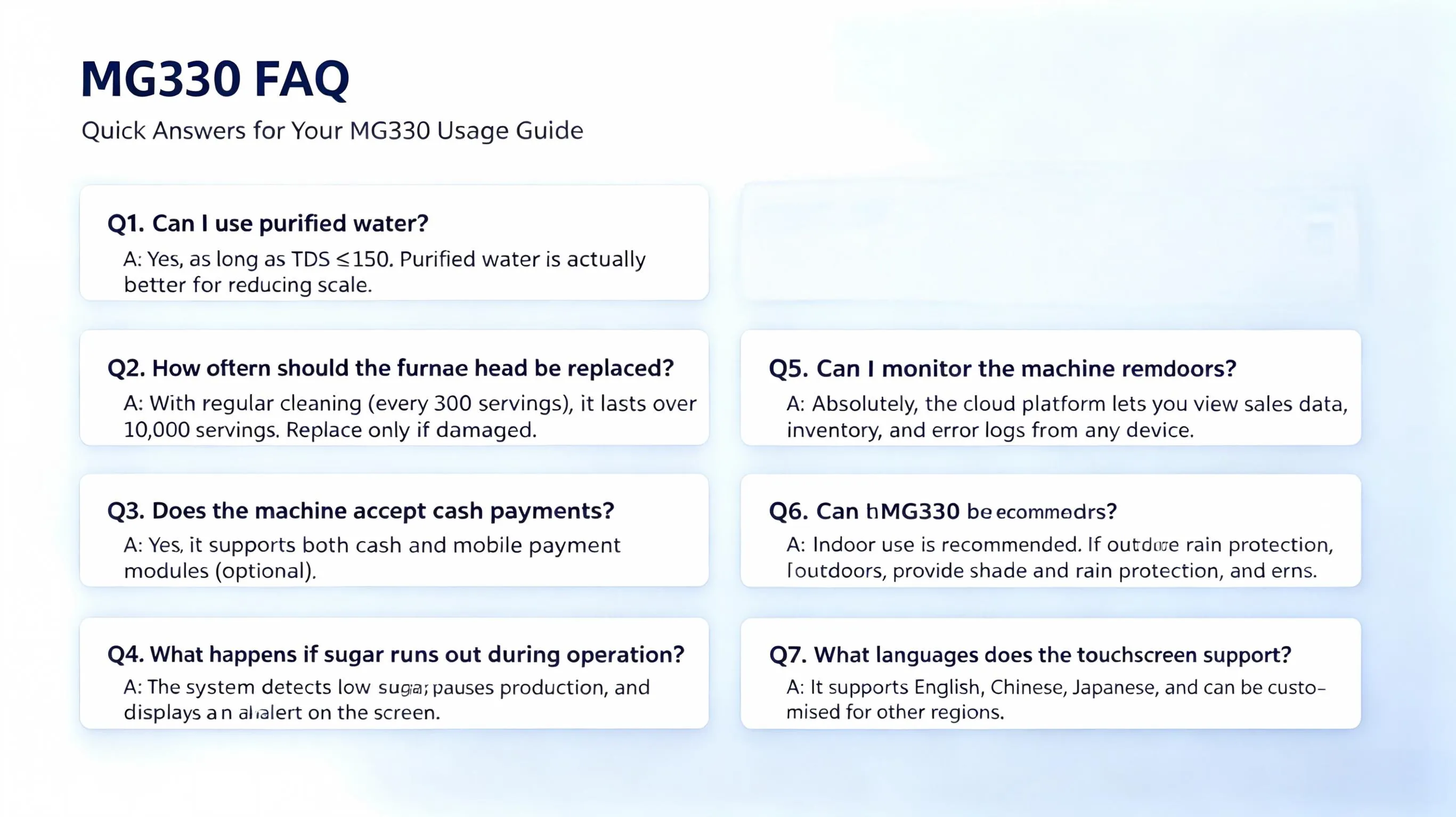
Q1: Can I use purified water?
A: Yes, as long as TDS ≤150. Purified water is actually better for reducing scale.
Q2: How often should the furnace head be replaced?
A: With regular cleaning (every 300 servings), it lasts over 10,000 servings. Replace only if damaged or excessively worn.
Q3: Does the machine accept cash payments?
A: Yes, it supports both cash and mobile payment modules (optional).
Q4: What happens if sugar runs out during operation?
A: The system detects low sugar, pauses production, and displays a refill alert on the screen.
Q5: Can I monitor the machine remotely?
A: Absolutely. The cloud platform lets you view sales data, inventory, and error logs from any device.
Q6: Can the MG330 be placed outdoors?
A: Indoor use is recommended. If outdoors, provide shade and rain protection, and ensure ambient temperature is above 5°C.
Q7: What languages does the touchscreen support?
A: It supports English, Chinese, Japanese, and can be customised for other regions.
For more FAQs,please contact our sales manager.
13. Why Choose SUNZEE?
Since 2015, SUNZEE has been the global pioneer and industry benchmark for fully automatic cotton candy vending machines, with over 50 patents and multiple international certifications. Our machines are built for zerolabour operation, energy efficiency, and engaging customer experiences through the transparent viewing window. We also offer a unified cloud management system and comprehensive aftersales support to lower your operational barriers.
Whether you are a large chain or an individual entrepreneur, SUNZEE provides flexible solutions to meet your needs.Contact the sales manager to obtain the proposal.
14. Get Started Today
Ready to upgrade your dessert vending business? Visit our official website or contact our sales team for pricing, customisation options, and bulk order discounts.
SUNZEE Intelligent Technology Co., Ltd.
Website: sunzee.com | sunzeerobot.com
Email: [email protected]
Explore more:
Product Overview
Global Case Studies
Request a Quote (replace with your actual contact page)
Note:This guide is based on official SUNZEE MG330 PRO and MG330A manuals. Specifications are subject to change. Please refer to the latest official documentation for the most current information.
Recommended Products
Hot News
-
SUNZEE MG330 PRO & MG330A Automatic Cotton Candy Machine | Complete User Manual
2026-07-30
-
Cotton Candy Vending Machines Drive Explosive Foot Traffic Growth Across European Shopping Centres
2026-04-30
-
The Revolution of Quality and Flavor: SUNZEE Soft Ice Cream Machine, creating professional-level deliciousness
2025-10-21
-
New Product Release: SUNZEEMG121 Cotton Candy Machine, compact and portable, sell sweet dreams anytime and anywhere
2025-11-03
-
New Product: SUNZEEMG231 Cotton Candy Machine, with dual heads and high efficiency, is specially designed for large customer flows
2025-11-04
-
Cool Summer! SUNZEE smart ice cream machine, soft and fluffy, ready in seconds
2025-11-05
-
Orlando, are you ready? SUNZEE will bring sweet fun to the 2025 IAAPA exhibition!
2025-11-22
-
Shine in Orlando! SUNZEE's innovative products set off a sensation at the exhibition in the United States
2025-11-23
-
Sweet success! Looking back on SUNZEE's wonderful experience at the 2025 IAAPA Expo
2025-11-24
-
SUNZEE has launched a brand-new cotton candy machine, MG121: Making sweet creation simple and fun!
2025-12-04